SMS Core Addon
This is not a marketing campaign tool, it sends functional SMSs to customers, like order notifications, OTPs etc. Some gateways also support Viber messages.
sms_core addon is the core that provides tools to a range of addons to
send SMS messages.
order notifications
shipment notifications
admin notifications (low stock, new customer registered etc)
mobile number verification
Company Gateways Settings
Gateways are set per company/vendor. In Ultimate are set in Storefronts and in multivendor are set in vendors. This way each company/vendor can use their own gateway take the cost.
In company, there is a tab SMS gateways.
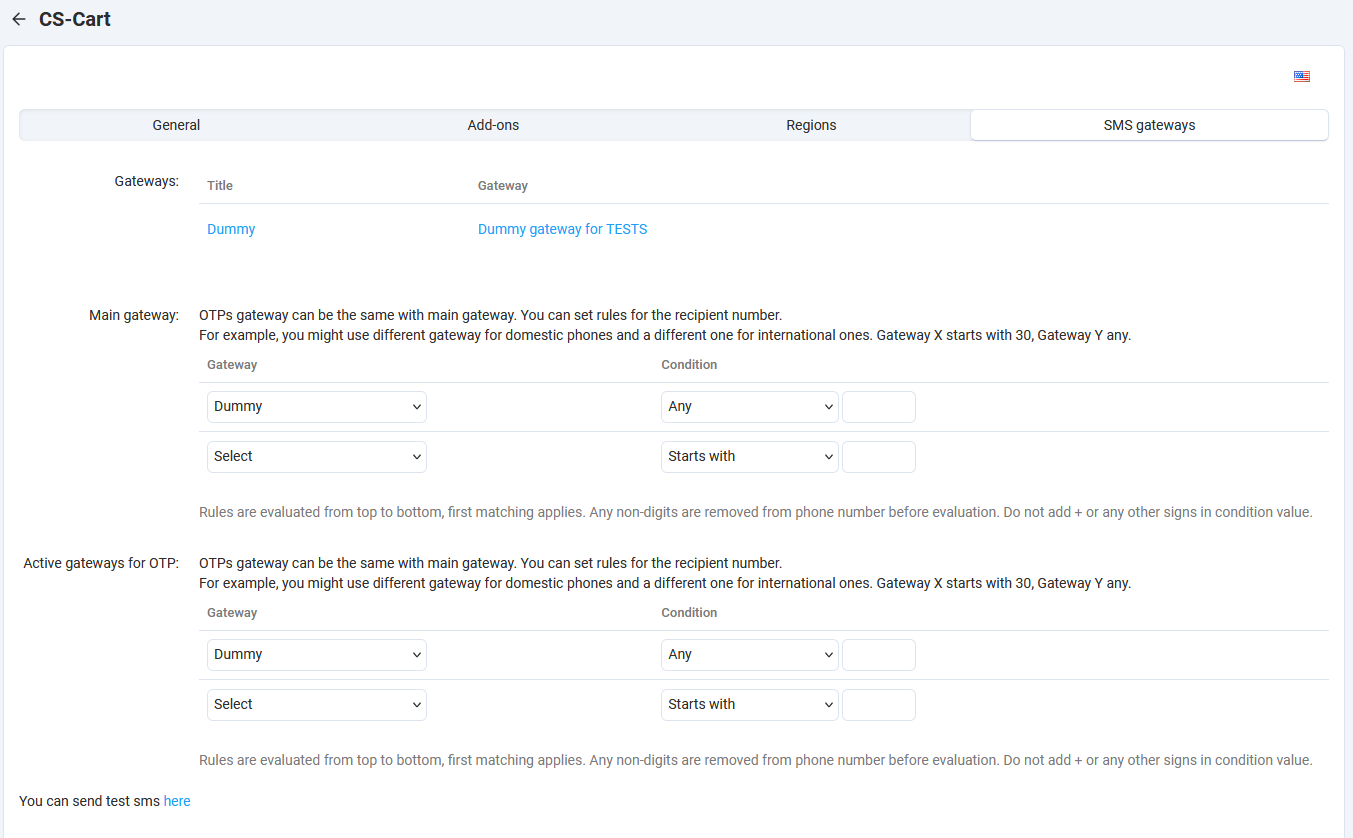
After configuring the gateways (see Add a gateway), we can set rules on their
usage. The is main gateway and OTP gateway. In some cases you might
want to use Gateway A for OTPs and another for the rest. If no such need, set
the same in both.
If we have more than one gateway we can set rules for their usage based on phone numbers. For example, you might use different gateway for domestic phones and a different one for international ones. Gateway X starts with 30, Gateway Y any.
Rules are evaluated from top to bottom, first matching applies. Any non-digits are removed from phone number before evaluation. Do not add + or any other signs in condition value.
At the bottom of the page there is a link for the gateway testing tool.
Add a gateway
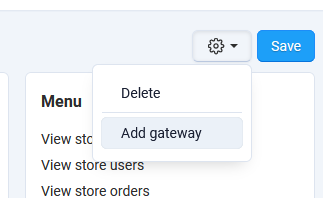
In company top gear menu, there is the option Add gateway.
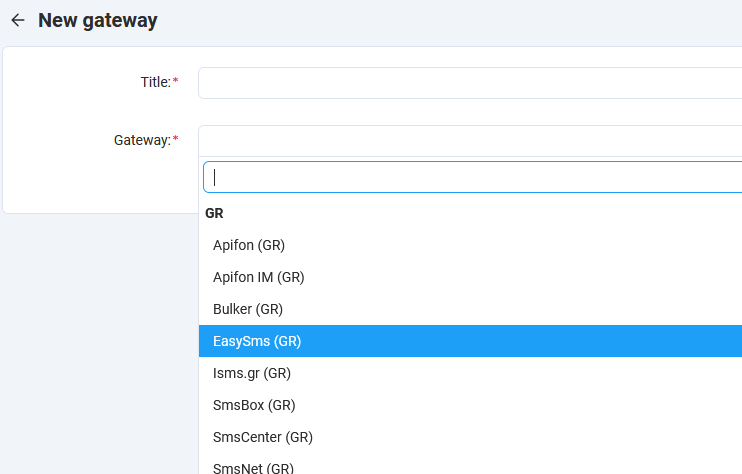
This opens the gateway editing page. After selecting the desired gateway the settings for that are shown.
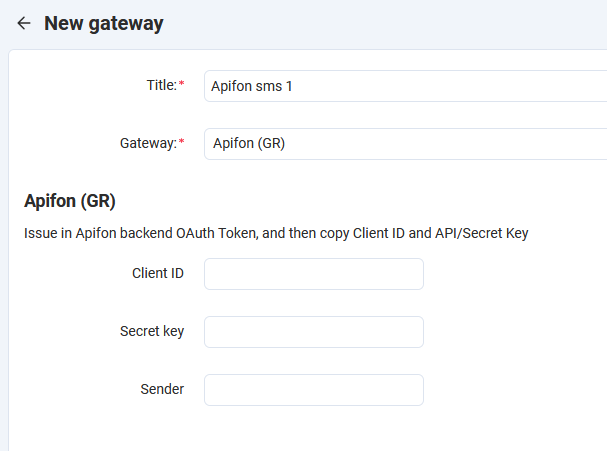
Fill the fields and save.
Send Test SMS
At the bottom of the page in company gateways settings tab there is a link for the testing tool. You can send test SMS to check if the gateway setup is not properly.
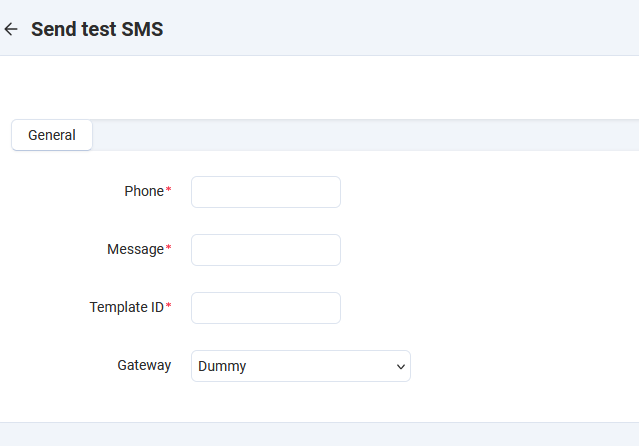
In the template ID field if not required from your gateway set 0.
SMS templates
Link emails, we have tempaltes for SMS too. Navigate to Settings > Notifications and
in the right menu, you will see the option SMS templates.
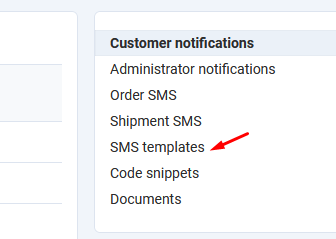
Templates are created from the addons that use them. But as admin we can modify the message template.
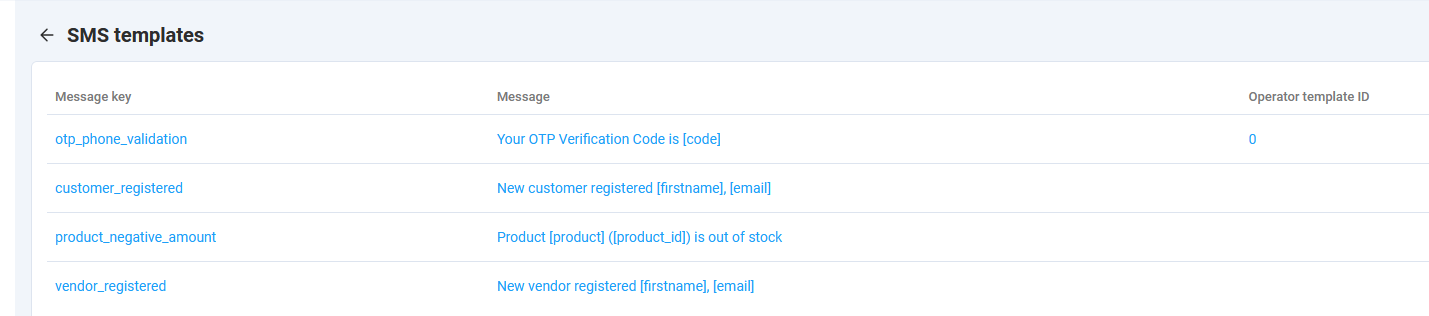
Message Key: this is used from the addon to get the template. Do not modify.
Message: This is the message template. This you modify.
Operator Template ID: Some operators work with message templates. You create the template in their system first, and then get the provided ID and you set it here. If not the case with your operator, set to 0.
In the template you can set in the desired place the variables of the message. Addons set the available variables, and you can use them.
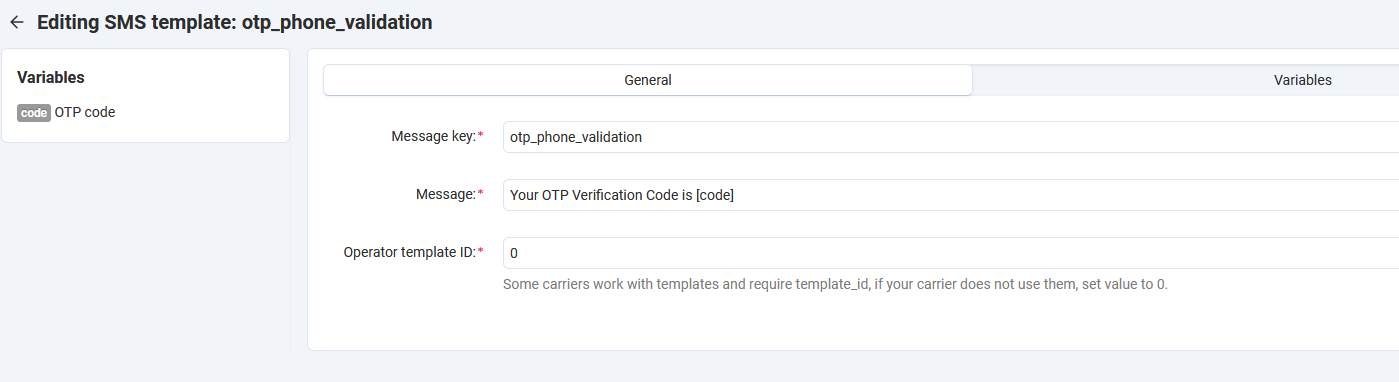
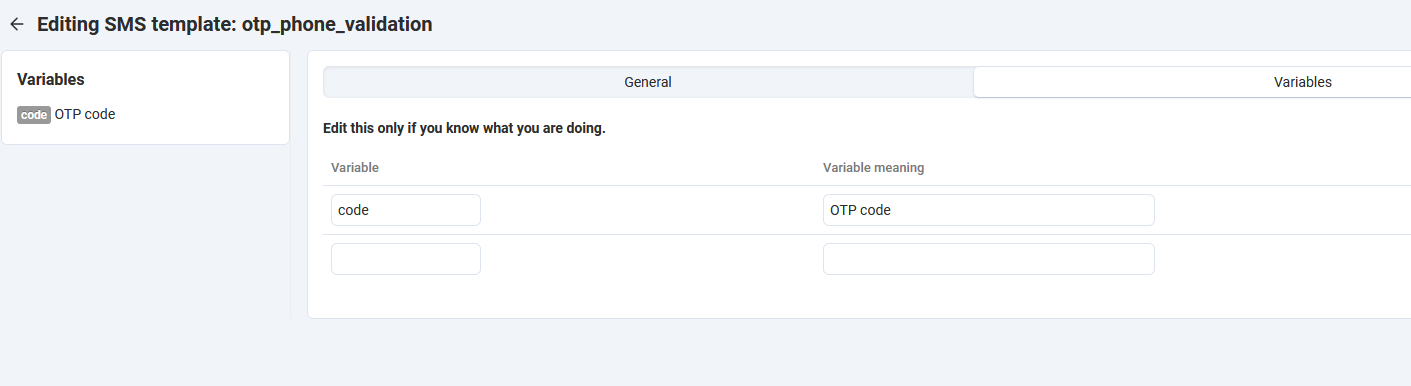
A qualified developer can modify the data in Variables tab, but not the administrator.
Log
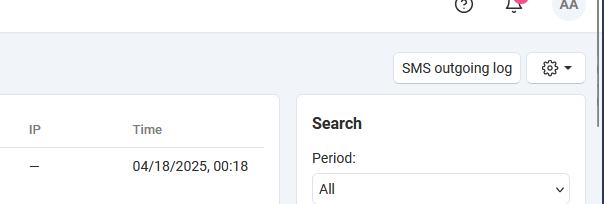
There is SMS outgoing log. Navigate to Settings > Logs and in the top right
you will see SMS outgoing log.
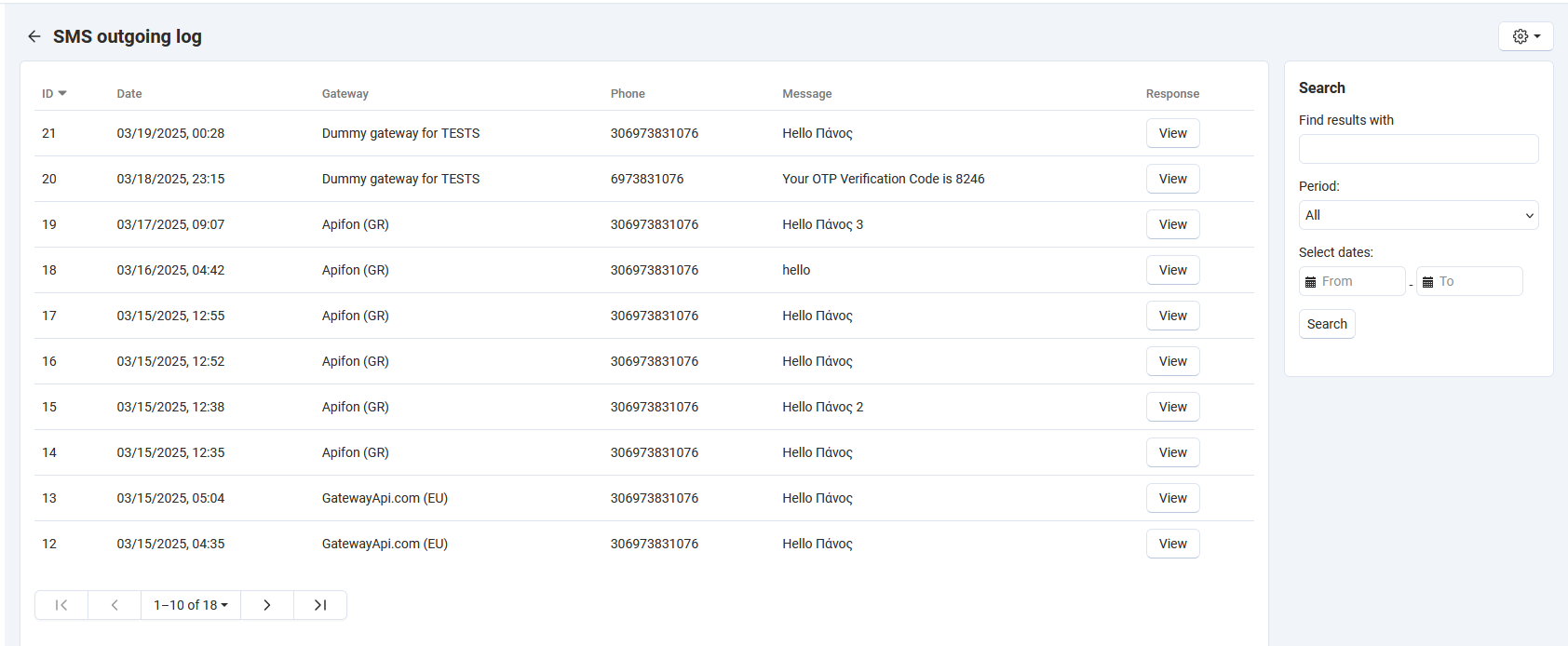
This will take you to SMS outgoing log. There you can see all SMS sent and the response from the gateway.
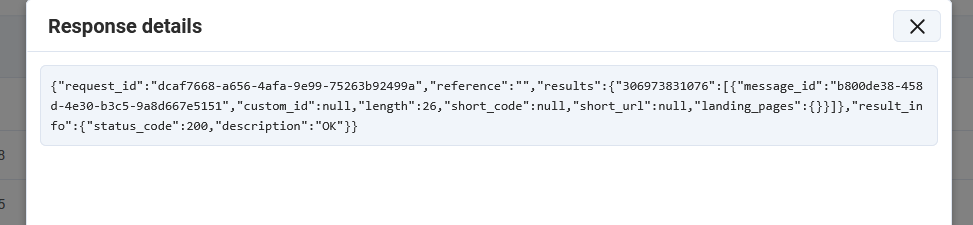
If you click View in any message you will see the response from the gateway.
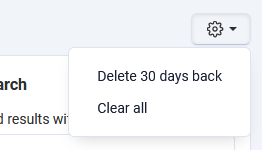
In the gear menu there options for maintenance.
Delete 30 days back
Clear all
Supported gateways (ver 2025.03.04)
Apifon (GR)
Bulker (GR)
EasySms (GR)
Isms.gr (GR)
SmsBox (GR)
SmsCenter (GR)
SmsNet (GR)
TextMagic (GR)
Time4Sms (GR)
Yuboto (GR)
GatewayApi.com (EU)
Messente (EU)
SMSApi.Com (EU)
BlashSMS (IN)
BulkSMS (IN)
BulkSMS Nagpur (IN)
Msg91 (IN)
SMS19 (IN)
SMS ACL (IN)
SMS Exotel (IN)
SMS Solutions (IN)
TextLocal (IN)
ValueFirst (IN)
SMS.ir (IR)
ConnectMedia (KE)
MSEGAT (SA)
Taqnyat (SA)
RmlConnect (UAE)
Belize Telemedia (BZ)
Twilio (USA)
SMPP
Verifications API developer notes
This addons offers a verification API to verify an email or mobile number.
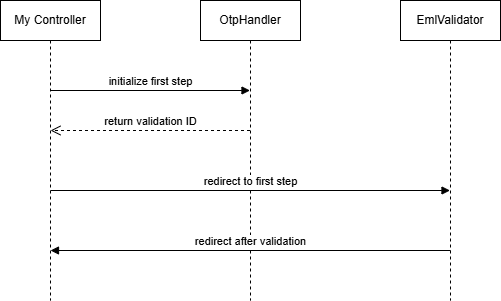
The flow is:
initialize verification and redirect to first verification page (we give control to the sms_core verification procedure)
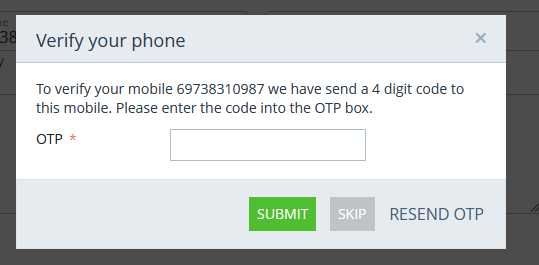
sends OTP to customer
prompts customer to enter OTP
customer submits OTP
checks OTP
if valid, redirects to
verifiedcontrollerfinalize the job (we take over again)
We initialise and then wait for the final hit to verified controller.
All steps in between are handle in a uniform way from sms_core, form to input OTP,
send OTP, re-send OTP etc, are handled from sms_core.
First define the schema:
schemas/emlmob_verification/objects.post.php
 $schema[ OBJECT ] = [];
 $schema[ OBJECT ][ E|M ] = [];
in order to get/set data via queries set
table=> TABLE NAME prepend ?:data_field=> the name of the field that holds email|mobileid_field=> the autoincr primary key of the table (the ID)check_unique=> true|false if you want a check to be make if this value is used in another entryverified_field=> a field in the “table” that is set to “Y” after user enters the correct OTP.
in order to get/set data via functions set
data_get_function=> callable with parameter the IDdata_set_function=> callable with parameters ID and the valuedata_unique_function=> callable with parameters ID and the value. Returns true is unique, else falsedata_verified_function=> callable with parameter ID. Called after user entered the correct OTPallow_change=> boolean, by default true. Show change popup for email/phone to verifyreturn=> the url that will return after validations are made. It should be defined only in the second verification. If it set in the first, then after first verification is done user will be redirected to “return” without doing the second verification
Validations are made in the order they are defined here.
For example, we have member applications that our visitors make in order to
become members of our club. The applications are in the table ?:member_applications,
with primary key application_id. Email is stored in the field email and
we have a flag field validated_email (char(1) Y|N) to mark if email is validated.
We decide that this validation will be member_application and will validate
first their email. So we first define $schema['member_application']['E'].
E for email or M for mobile.
$schema['member_application']['E'] = [
'table' => '?:member_applications',
'data_field' => 'email',
'id_field' => 'application_id',
'check_unique' => true,
'verified_field' => 'validated_email',
];
For mobile verification we use the function method. To get and set the mobile number we use functions, so the addon is not trying to make direct db queries. We do not set table info, but only we provide the functions to call for each operation.
$schema['member_application']['M'] = [
'data_get_function' => 'slx_member_application_get_phone',
'data_set_function' => 'slx_member_application_set_phone',
'data_unique_function' => 'slx_member_application_is_phone_unique',
'data_verified_function' => 'slx_member_application_verified_mobile',
'return' => 'member_application.step2?application_id=%OBJECT_ID%'
];
Getter function will take only application_id (OBJECT_ID) and we expect to get back the value or the email or the phone number.
Setter functions will take two parameters, $application_id (OBJECT_ID) and the value to set.
Notice that the first validation does not have return. This is used
from the last verification for the object. If email and phone verification
is created then expects return to phone verification.
There are some extra schema properties you can define in your schema:
page_titleThe title of the OTP prompt pagepage_textThe text shown in the OTP prompt pagemsg_tplThe SMS template key for the SMS, if you want to customize the default template.
Full example
Let’s see a real world example. The next is taken from checkout_verify_phone addon.
The schema.
use Slx\EmailMobileVerification\ObjectData;
use Tygh\Registry;

$schema['checkout_mobile'] = [];
$schema['checkout_mobile'][ObjectData::TYPE_MOBILE] = [
    'table' => '?:guest_phone_verification',
    'data_field' => 'phone',
    'id_field' => 'phone_id',
    'check_unique' => true,
    'allow_change' => false,
    'required' => false,
    'verified_field' => 'verified',
    'return' => 'verify_guest_phone.verified?phone_id=%OBJECT_ID%'
];

return $schema;
We have a db table ?:guest_phone_verification with primary key phone_id
and a field phone that holds customer’s phone. We require that it is unique.
The verification si not required, customer can skip it. The field that holds
the verified or not flag is verified. After validation will be redirected
to verify_guest_phone.verified with query parameter the phone_id.
The controller that initializes the verification.
use Slx\EmailMobileVerification\OtpHandler;

if($mode=="verify_init") {
    if(!empty($_REQUEST['phone'])) {
        $phone = trim($_REQUEST['phone']);
        $repo = new GuestPhoneVerification();
        $item = $repo->getOneBy(['phone'=>$phone]);
        if($item) {
            $repo->update($item['phone_id'], ['verified'=>'N', 'verified_at'=>0]);
            $phone_id = $item['phone_id'];
        }
        else {
            $phone_id = $repo->update(0, ['phone' => $phone]);
        }
        $od = new OtpHandler();
        /* get the first step of the validations of checkout_mobile procedure */
        $firstStep = $od->firstStep('checkout_mobile');
        /* redirect to verification controller and forget about it */
        fn_redirect('emlverify.init&v_type='.$firstStep.'&object=checkout_mobile&object_id='.$phone_id);
    }
}
After that, everything is taken care from sms_core’s verification.
When user is done is landed to the controller verify_guest_phone.verified.
if($mode=='verified') {
    /* the OBJECT_ID, the id of the record we validated */
    $phone_id=$_REQUEST['phone_id'];
    $repo = new GuestPhoneVerification();
    $item = $repo->get($phone_id);
    if($item) {
        /* this is set from validation procedure */
        if($item['verified']=='Y') {
            fn_set_notification('N', __("notice"), __("slx_checkout_verify_phone.your_phone_is_verified"));
        }
        else {
            fn_set_notification('W', __("warning"), __("slx_checkout_verify_phone.your_phone_is_not_verified"));
        }
    }

    fn_redirect('checkout.checkout');
}
Done.
More…
There might be cases that there is no entity to hold the verification, like giving access to some functionality. There is a generic validations table in the addon that you can use for such cases.
For example, in a project we needed to give access via OTP to a settings section.
In the schema objects.post.php define:
$schema['galdaf_settings'] = [];
$schema['galdaf_settings'][ObjectData::TYPE_MOBILE] = [
    'table' => '?:emlmob_generic_verifications',
    'data_field' => 'phone',
    'id_field' => 'id',
    'check_unique' => false,
    'allow_change' => false,
    'required' => true,
    'verified_field' => 'verified',
    'return' => 'galdaf_settings.verified?id=%OBJECT_ID%',
    'page_title' => 'galdaf.verify_galdaf_settings',
    'page_text' => 'galdaf.settings_verification_instructions_m',
];
In the controller galdaf.php
use Slx\EmailMobileVerification\EmlmobGenericVerifications;
use Slx\EmailMobileVerification\OtpHandler;

/* create a record in Generic verifications */
$vData = [
    'object_type' => 'galdaf_settings',
    'phone' => $cPhone,
    'verified' => 'N',
    'meta' => json_encode($data),
];
$repo = new EmlmobGenericVerifications();
$vid = $repo->update(0, $vData);
/* and validate on that */
$od = new OtpHandler();
$firstStep = $od->firstStep('galdaf_settings');
fn_redirect('emlverify.init&v_type='.$firstStep.'&object=galdaf_settings&object_id='.$vid);