Order SMS notifications
Sends notifications for order and shipment status changes, like the emails cs-cart
sends. SMS gateway setup is done in sms_core addon.
Σημείωση
Member of the sms_core family, so install first sms_core addon.
Addon settings
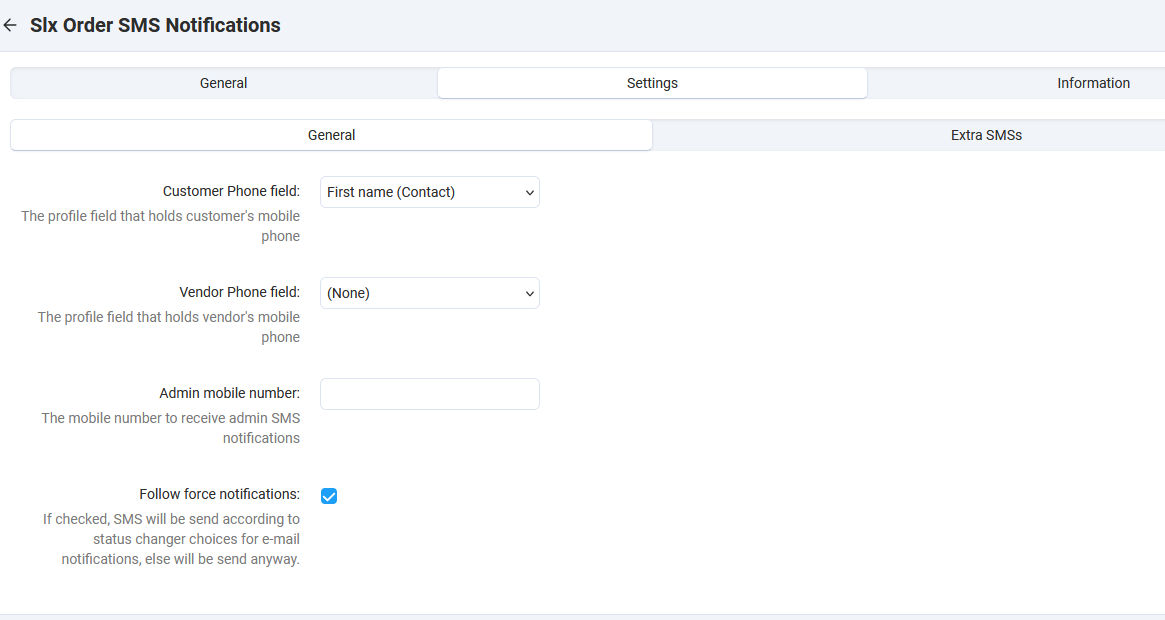
Addon setup is simple. In general tab we set:
customer phone field
vendor phone field
administrator mobile number
Folow force notificationsIf checked, SMS will be send according to status changer choices for e-mail notifications, else will be send anyway.
In Extra SMSs, we can set if SMS notification will be sent to administrator in
the case
New customer registers
Product is out of stock
New vendor registered.
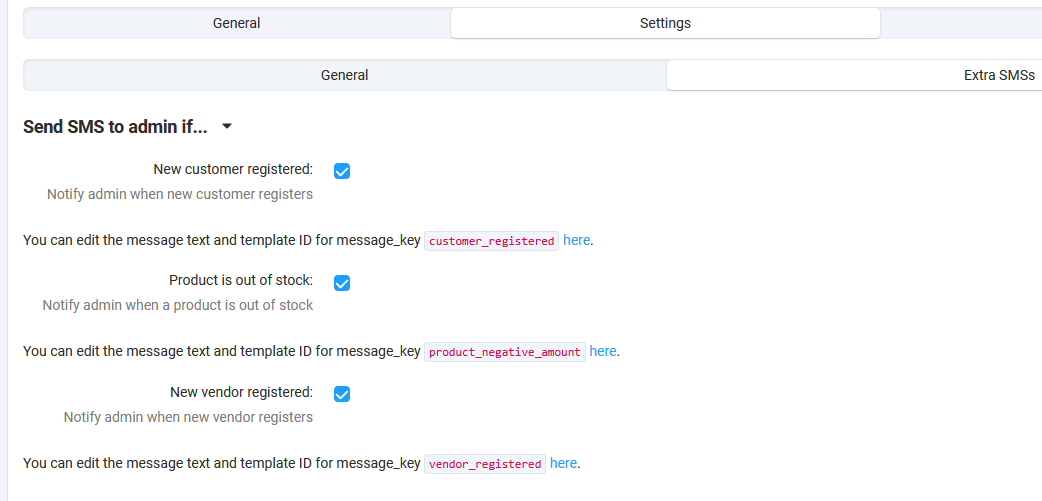
The same events are supported from cs-cart’s addon, so we replicated the functionality here so you can have centralized control.
Notifications Templates
For SMS, like for email notifications, there is for each status a customer notification
and an administrator notification. Each can be active or not and have a template for the message.
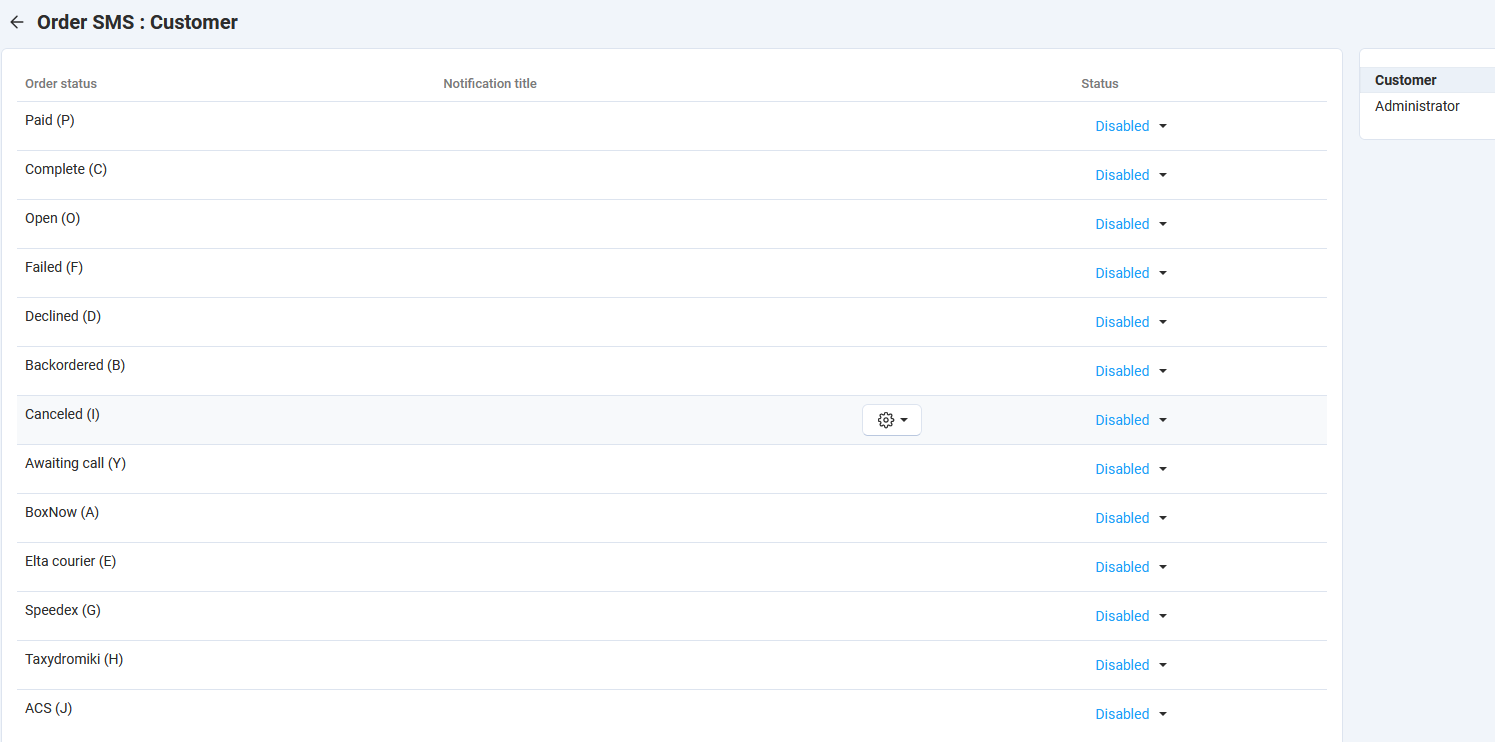
Naviage to Settings > Notifications and in the right menu, you will find Order SMS
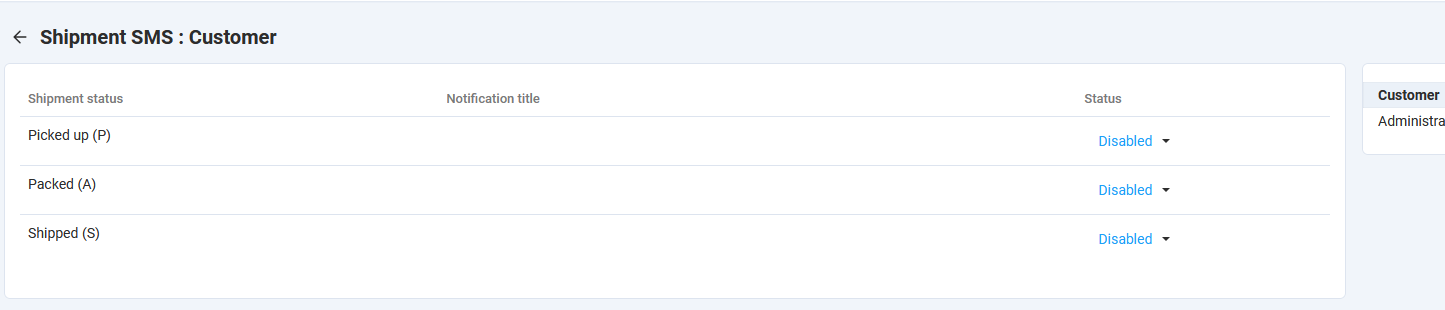
and Shipment SMS
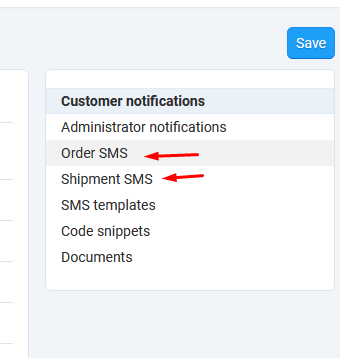
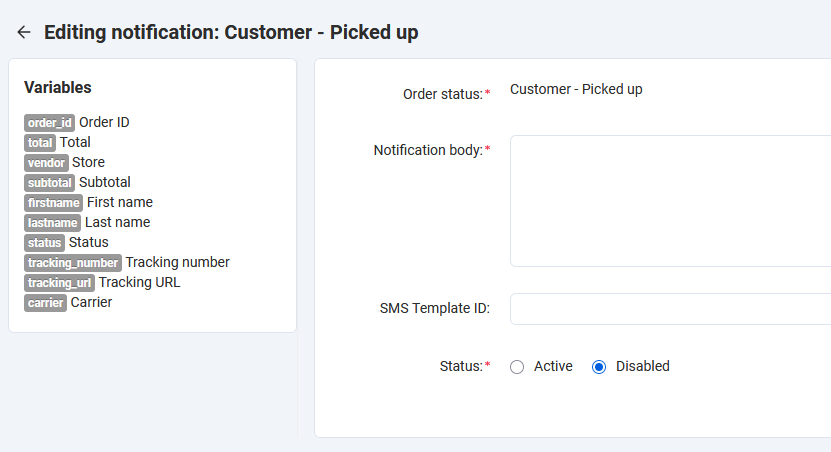
For orders, there is a template for each status. You can select customer or administrator templates from the menu on the right. Set the status to active for the ones you want to send. Edit the template to make the message as you like.
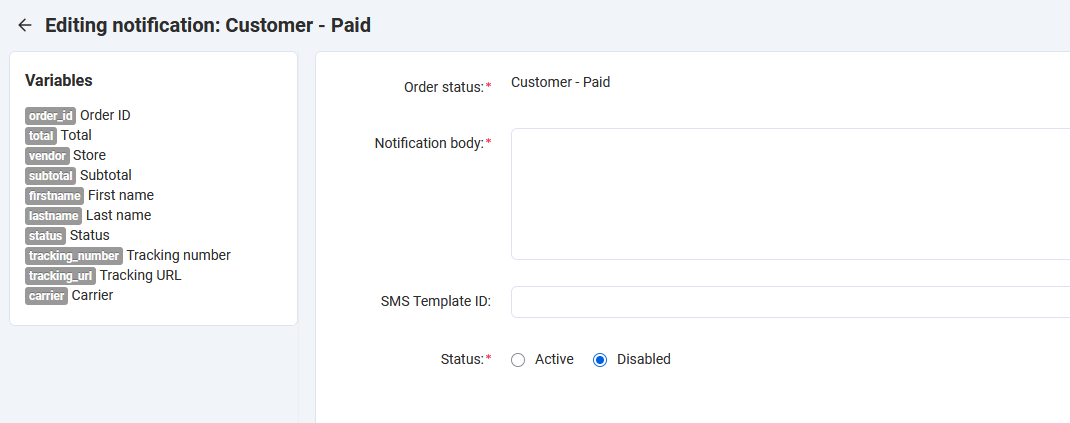
Template editing is the same as in sms_core addon.
Message Key: this is used from the addon to get the template. Do not modify.
Message: This is the message template. This you modify.
Operator Template ID: Some operators work with message templates. You create the template in their system first, and then get the provided ID and you set it here. If not the case with your operator, set to 0.
In the template you can set in the desired place the variables of the message. Addons set the available variables, and you can use them.
Same for shipment templates. In the list you can enable any ones you like.
Template editing is the same.